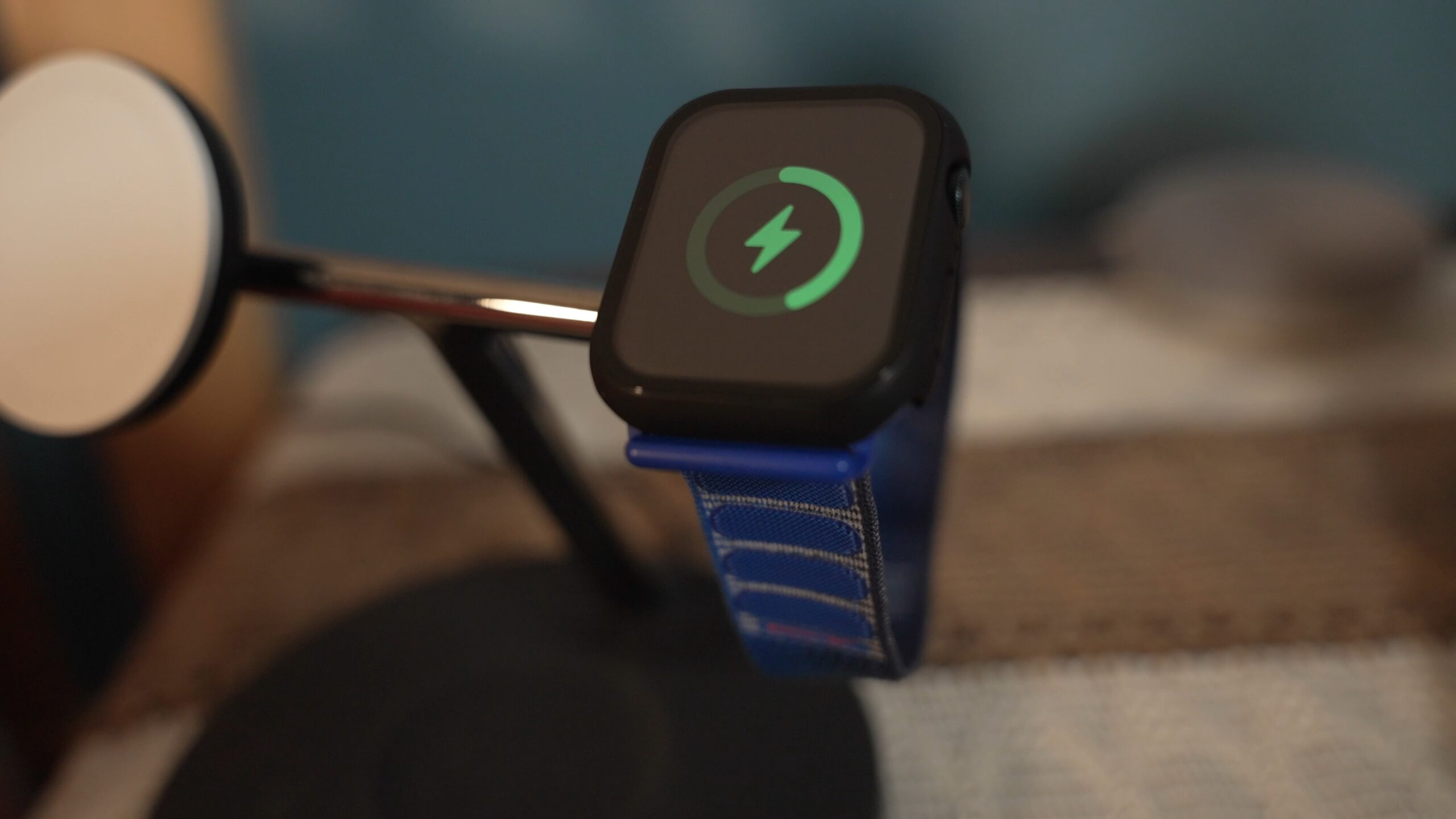
The other night, I went to charge my Apple Watch and had a random thought:
How old is this thing?
I genuinely couldn’t remember when I bought it.
After digging through Apple’s website and my email order folder, I found the answer — late 2022. I bought the Apple Watch Series 8 right when it launched. That means I’m now using a three-generation-old device.
Here’s the crazy part:
Not once have I seriously considered upgrading.
For as much criticism as Apple gets about stale iPhone updates, I don’t hear nearly as much about the Apple Watch — even though it’s arguably the product that has changed the least over the past several years.
So that led me to a bigger question:
Should you upgrade your Apple Watch anymore?
Let’s compare what’s actually changed — and whether it’s worth spending hundreds of dollars.
The Last Big Apple Watch Upgrade (Series 3 to Series 4)
If you’ve owned Apple Watches for a while, you probably remember the jump from the Series 3 to the Series 4.
That upgrade felt huge.
- Larger, edge-to-edge display
- Noticeably faster processor
- ECG (electrocardiogram) support
- Major health feature expansion
The redesign alone made the Series 3 feel outdated overnight. I remember trying the ECG feature for the first time and being genuinely impressed that something on my wrist could do that.
That era felt innovative.
Since then? The changes have been… incremental.
Comparing Apple Watch Series 8 vs Series 11

Out of curiosity, I compared:
- Apple Watch Series 4
- Apple Watch Series 8 (what I currently use)
- Apple Watch Series 11 (newest model)
Here’s what stood out.
1. Display Improvements
The Series 11 offers:
- Slightly larger display (about 1mm increase depending on size)
- Smaller bezels
- Up to double the brightness compared to older models
- Always-on display (compared to Series 4)
Is that nice? Absolutely.
Does it change your daily experience dramatically? Probably not — especially if you’re indoors most of the time.
Double brightness could be helpful in direct sunlight. But if your current watch is already readable and responsive, this won’t feel revolutionary.
2. Battery Life
Battery improvements are arguably one of the most meaningful upgrades.
The Series 11 offers:
- About 4 hours more battery life than the Series 8
- Similar battery life to the Series 4
Interestingly, that means in four years Apple didn’t massively extend endurance.
Battery life matters — but if you’re already charging daily (like I do overnight), a few extra hours may not change much.
3. Health Features
Over the years, Apple has added:
- Blood oxygen monitoring
- Crash detection
- Sleep tracking and sleep score
- Hyperextension notifications
- Water temperature sensing
- Additional gesture controls
- 5G connectivity (on cellular models)
Some of these are genuinely useful — crash detection, for example, could literally save lives.
But many of them fall into the “nice to have” category rather than “must upgrade immediately.”
Personally:
- I don’t use blood oxygen tracking
- I don’t use sleep tracking (I charge overnight)
- I rarely swim, so water temperature doesn’t matter
Your usage may differ — but for me, these weren’t compelling enough to upgrade.
What I Actually Use My Apple Watch For
This is where things get simple.
Every day, I use my Apple Watch to:
- Track workouts
- Count steps
- Monitor heart rate during exercise
- View notifications
- Control music
- Ping my phone when I misplace it
That’s it.
And my Series 8 does all of those things flawlessly.
It’s not slow.
It’s not dim.
It doesn’t feel outdated.
And that’s the problem — or maybe the success.
Once a device reaches the point where it “just works” and handles everything you need, upgrading becomes harder to justify.
Why Apple Watch Upgrades Feel Different Than iPhone Upgrades
Unlike a phone, you don’t stare at your Apple Watch for hours per day.
It’s a support device. An extension of your iPhone.
You interact with it in short bursts:
- Glance at notifications
- Start a workout
- Check the time
- Adjust music
Because it’s passive, improvements need to be major to justify replacing it.
A slightly brighter screen or marginally better battery life doesn’t fundamentally change how it fits into your life.
Replacing it can feel like fixing something that isn’t broken.
The Cost Factor

Let’s talk money.
A new Apple Watch with cellular can cost around $500. Even if you sell your current watch, you’re likely still spending a few hundred dollars to upgrade.
And for what?
- Slight refinements
- Small quality-of-life upgrades
- Marginal battery improvements
For many people, that money could go toward:
- Travel
- Investing
- Paying down debt
- Other tech upgrades
Incremental updates are hard to justify when the financial tradeoff is real.
Where Does Apple Go From Here?
This is the part I’ve been thinking about most.
What would actually make me upgrade?
Honestly… I’m not sure.
The only truly game-changing addition I can imagine would be something like:
- Non-invasive blood glucose monitoring
- Major AI-driven health diagnostics
- A completely redesigned form factor
Something life-changing.
Something transformative.
Something that makes your current watch feel outdated overnight — the way Series 4 did to Series 3.
Until then, annual releases feel unnecessary.
If there’s one Apple product that doesn’t need yearly updates, it’s probably the Apple Watch.
So, Should You Upgrade Your Apple Watch?

Here’s my honest answer:
If you have a Series 3 or older?
Yes — you’ll likely feel a meaningful difference.
If you have a Series 4, 5, 6, 7, or 8?
Probably not — unless you specifically want one of the newer features.
For most people, the Apple Watch already does everything they need it to do:
- Fitness tracking
- Notifications
- Heart rate monitoring
- Basic health insights
And it does it very well.
When a device reaches that point — where it simply works — upgrading becomes less about necessity and more about want.
Final Thoughts
For the first time in years, I found myself questioning how old my Apple Watch was — not because I wanted to upgrade, but because I genuinely forgot.
And that says a lot.
The Apple Watch has matured. It’s stable. It’s reliable. It’s consistent.
But it’s no longer exciting.
Unless Apple introduces a truly groundbreaking health feature or major redesign, I don’t see a strong reason to upgrade every year — or even every few years.
But I’m curious:
Are you upgrading your Apple Watch this year?
Or do you keep your devices until they truly need replacing?
Let me know. And as always — I hope your day is as pleasant as you are.